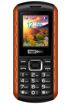
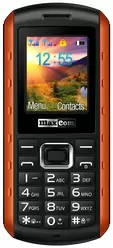
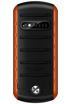
MaxCom MM901 Neptun




Key features
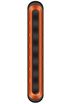
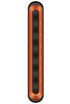
-
 1.8" TFT
128 x 160 px
1.8" TFT
128 x 160 px
-
 118.00 x 52.00 x 20.00 mm
105.70 g
118.00 x 52.00 x 20.00 mm
105.70 g
-
 0.1 Mpx
-
 Li-Ion 1400 mAh
-


-

-

-

-
 70.00 C2T
Battery capacity to thickness ratio
70.00 C2T
Battery capacity to thickness ratio
-
 16.60%
Screen-to-body ratio
16.60%
Screen-to-body ratio

| Brand |
MaxCom MaxComPhones |
|---|---|
| Model name | MM901 Neptun |
| Other names | MM901 |
| Announced |
|
| Type | Bar (classic) |
| Waterproofness & dust-resistance | IP67 |
| Dimensions | 118.00 x 52.00 x 20.00 mm |
| Weight |
105.70 g
Buy case |
| Colour |
|
| Display |
Color / TFT 256 thousands colors 128 x 160 px (1.80") 114 ppi ∼16.6% screen-to-body ratio |
| Display protection |

|
| Talk time (max.) | 2G: 600 min. (10.0 h) |
| Stand-by (max.) | 2G: 360 h (15.0 days) |
| Standard battery |
Li-Ion 1400 mAh
Buy powerbank |
| Quick battery charging |
|
| Charger included in the package |
|
| Wireless battery charging |
|
| Phonebook memory | 300 places |
| Internal memory |
0 MB
Buy memory card |
| Memory cards |
 microSD (up to 8 GB)
|
| Standards |
GSM
read more
|
| Touchscreen |
|
| DualSIM |
|
| DualSIM mode |
|
| Hybrid DualSIM |
|
| EAN |
Available in 2 variants:
|


ADDITIONAL INFORMATION
-
An additional 650 mAh battery (standby time up to 230 hours and talk time up to 6 hours) Weight phone with 650 mAh battery: 95 grams. Phone floats on water (650 mAh battery). Reinforced housing. Resistant to dust, water and mud. Flashlight.

PICTURES FROM THIS PHONE

CAMERAS - BACK
First camera
-
Photo matrix0.1 Mpx
-
Resolution320x240 px
-
Digital zoom
-
Flash
-
AdditionalFF

SENSORS

DATA TRANSFER
-
xHTML
-
WAP
-
HSCSD
-
HSDPA
-
HSUPA
-
HSPA
-
HSPA+
-
GPRS
-
EDGE
-
Bluetooth
-
A2DP Profile
-
WiFi
read more
-
DLNA
-
Infrared

COMMUNICATION AND MESSAGING
-
Call waiting
-
Conferency
-
Call forwarding
-
Push To Talk
-
Instant Messenger
-
SMS
-
SMS Memory30places
-
EMS
-
MMS
-
Dictionary
-
e-mail client
-
e-mail protocols
-
RSS Reader

MULTIMEDIA
-
Radio
-
MP3
-
Stereo speakers
-
Audio Jack
-
Polyphony
-
Ring composer
-
Games
-
Java
-
Videophone
-
DVB-H television
-
TV-Out

PIM AND ADDITIONAL FUNCTIONS
-
Watch
-
Stopwatch
-
Alarm
-
Calculator
-
Currency converter
-
Organizer
-
Calendar
-
Flight mode
-
SyncML
-
Data and fax
-
Screensaver
-
Themes
-
Interchangeable covers
-
Voice dial
-
Speakerphone
-
Recorder
-
Vibrations

POPULARITY CHART



Your rating
5,68

General
Design
Features
Ratings:
6 |
Visits:
30511 |
Popularity:
0,00%
Opinions (0)
Questions (0)
Ratings:
6 |
Visits:
30511 |
Popularity:
0,00%
 To your site
 Compare data


A D V E R T I S E M E N T
We do our best to present the proper and current information on this page. However, in case of finding any error in the data above please