
I waited for the possibility of reviewing the smartphone BlackBerry Z10 with great anticipation. The phone intrigued me, because it was to open a new chapter in the history of Canadian manufacturer, create a whole new level.
After several days of using Z10 I have mixed feelings. The phone didn't impress me, but on the other hand I have not found serious flaws in it. Z10 was supposed to be different than previous BlackBerry... and in many ways it is. I did not notice in it "a breath of fresh air", which I expected. But let's start from the beginning.
 |
 |
||
| BlackBerry Z10 photo: GSMchoice.com |
|||
| First impressions from Q10 and Z10 video: GSMchoice.com via YouTube |
|||
Table of Contents
- Construction, design assessment
- Interface and equipment
- The display, the phone
- Music, photography
- Summary, video
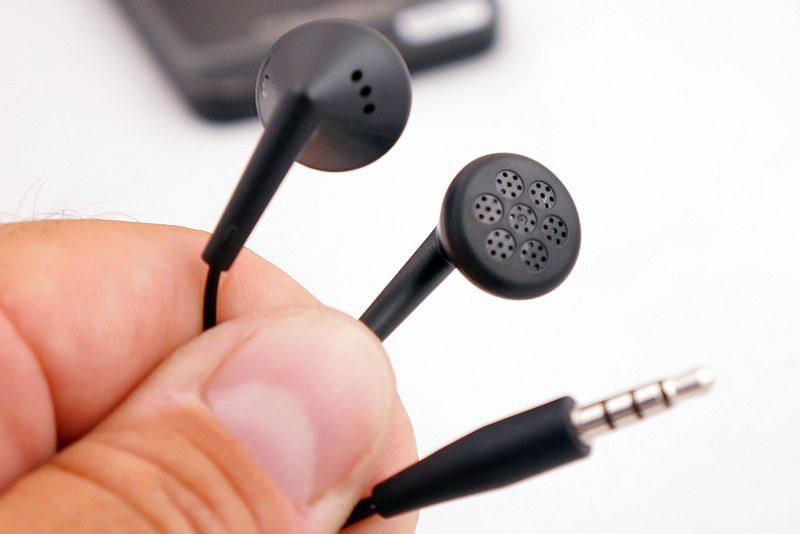
BlackBerry Z10 disappointed me from the start – with a set I received with it. There was a 0.85 A charger, with a USB cable, and a short but very meaningful manual. There are also headphones that have so poor quality that are suitable for a Chinese mobile for $ 5! In my view, the addition of such a clumsy handsets to a high-end phone is just a shame. I decided not to pre-empt the phone - after all, the handset can easily be replaced by other, Z10 has a typical minijack output and Bluetooth with A2DP.
 |
 |
 |
 |
 |
 |
 |
 |
 |
|
| BlackBerry Z10 photo: GSMchoice.com |
|||
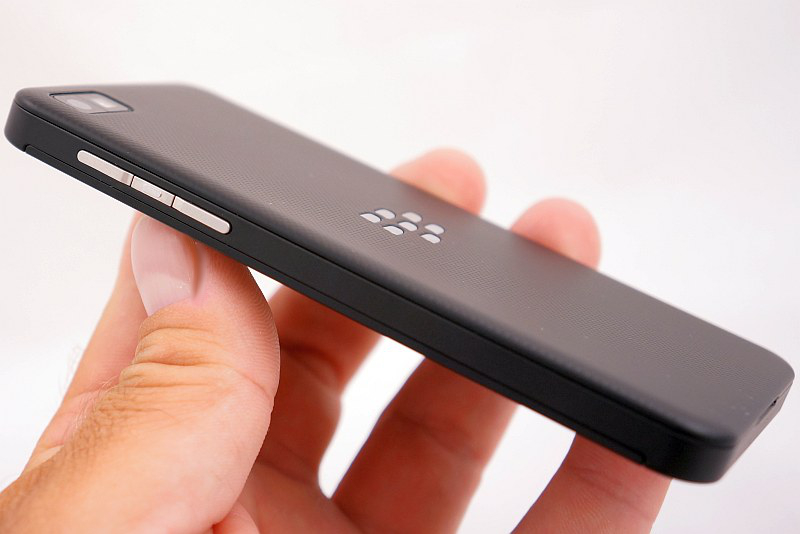
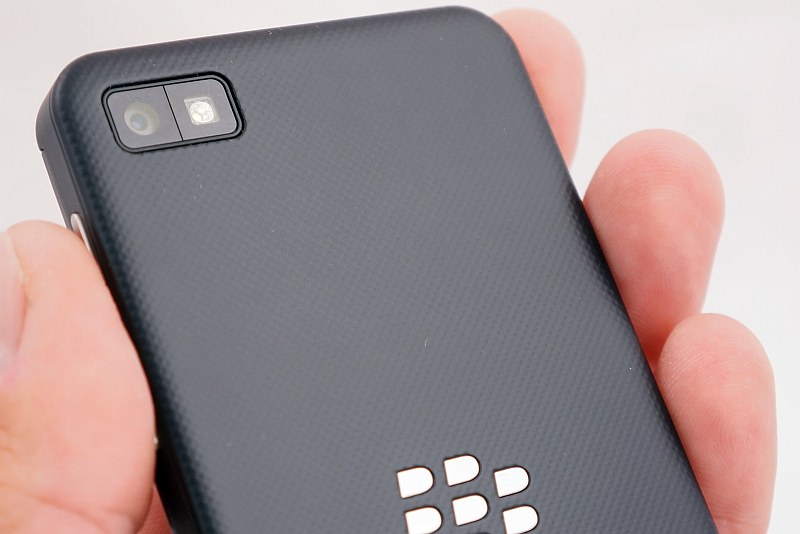
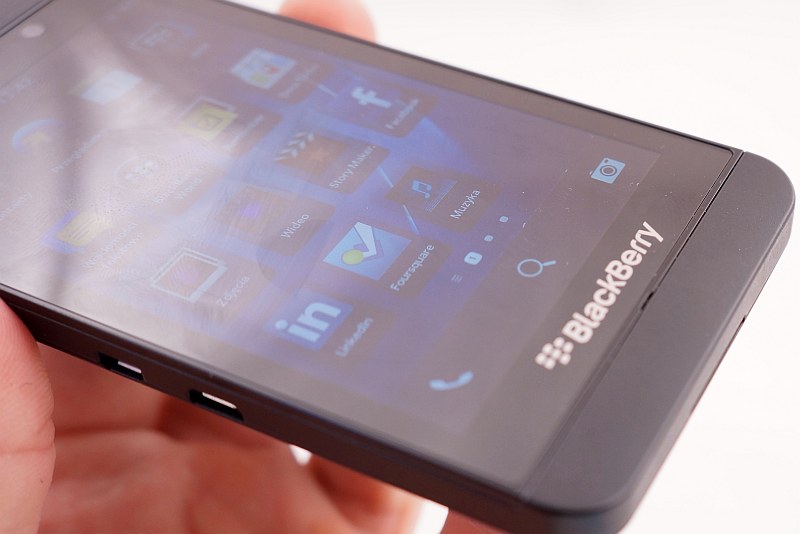
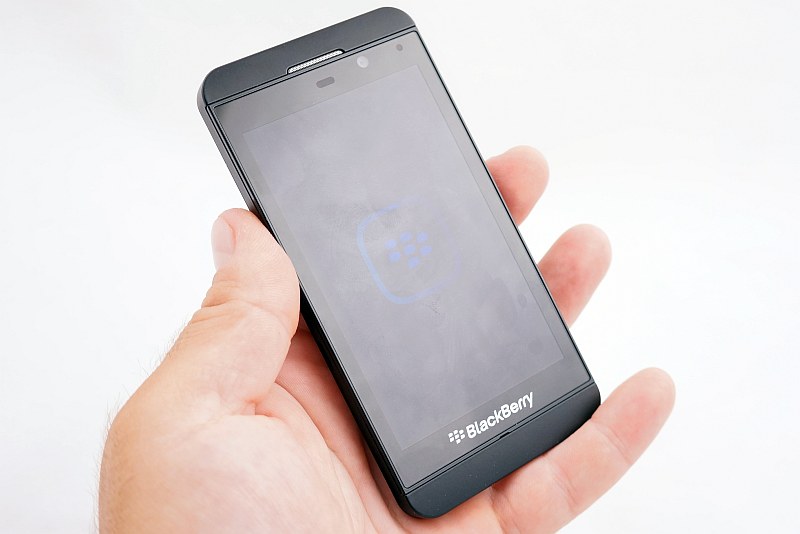
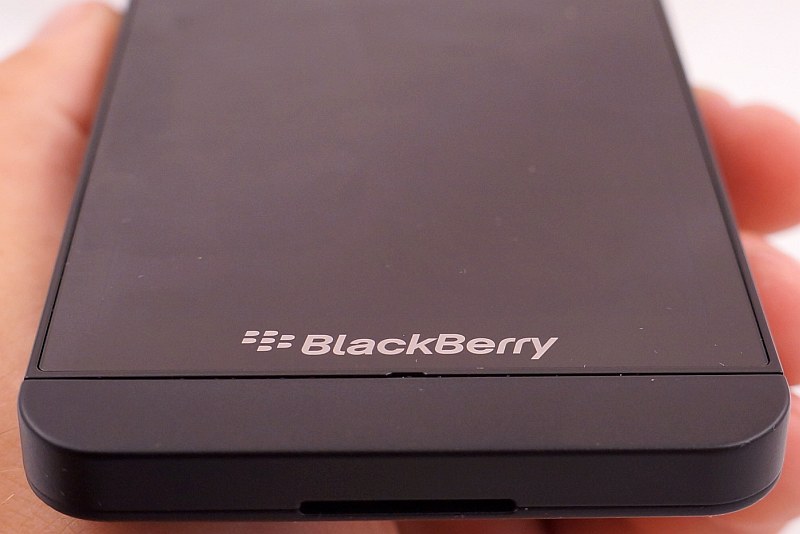
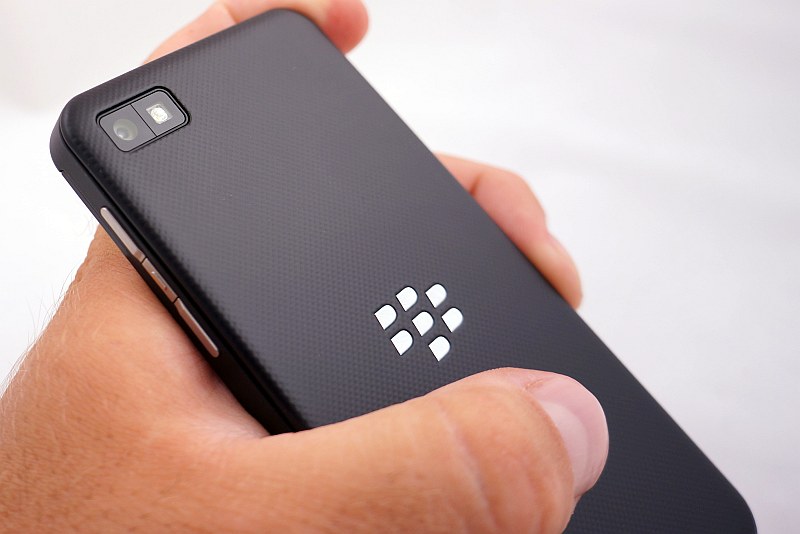
However, further examination of Z10 remained a band of mixed emotions - from irritation to the rapture. First, I liked the creative style of the front wall, with a large pane of glass, slightly accented logo and the speaker and the frosted plastic. The spell broke, when I looked closer and saw how thick are actually the frames around the screen. Stylists tried to cover them up, but when you turn on your phone and you can see everything. It does not look too modern... The back is as simple as the front, but there the monotony is broken with the metal (!) logo, camera lens and a delicate, dotted pattern. The most important, however, is that the back wall was covered with a varnish rubber-like structure that provides an excellent grip. There is no fear that the phone slips out of our hands. Anyway, even without the varnish I would consider that Z10 fits snugly in a hand. It has - in my opinion - the optimum width and thickness, and it is superbly balanced. Can't it be liked?
 |
 |
 |
|
| BlackBerry Z10 photo: GSMchoice.com |
|||
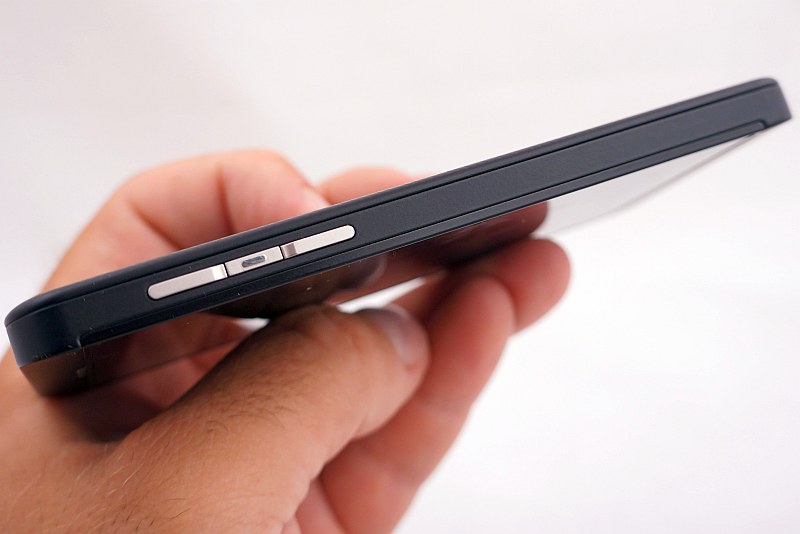
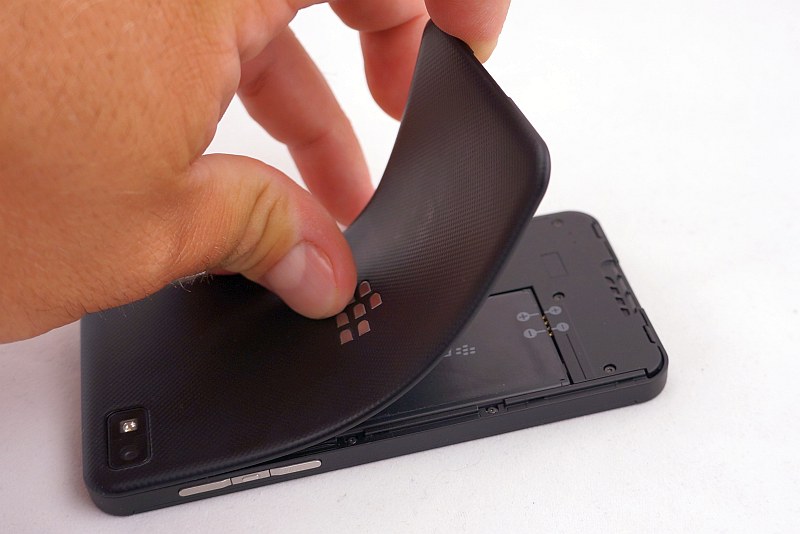
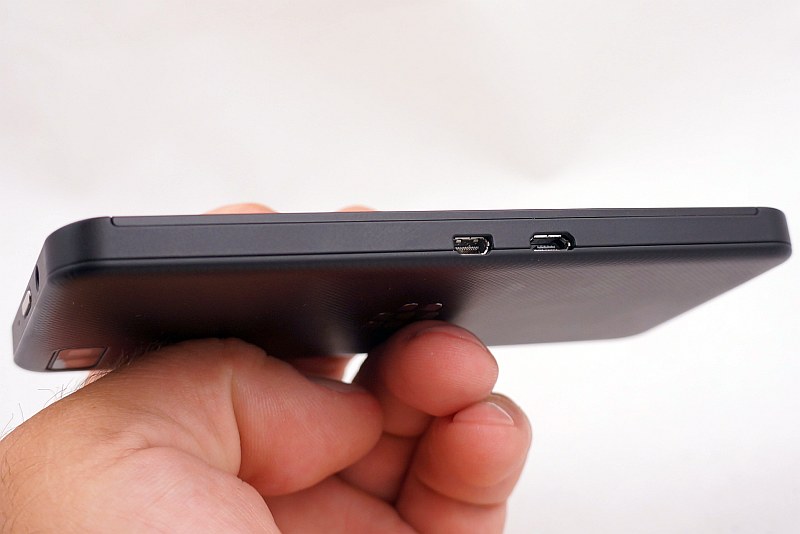
The phone sides form a monolith with the entire inner body. On the right side there are the volume buttons, separated by a third button, activating service with voice guidance. On the top there is one button - the power switch - and this is the last mechanical key, which you will find in Z10. In addition to the switch we can still see the microphone and headphone holes. On the left side there is HDMI and USB - both in the "micro" variants. They are not covered, that's why they easily capture dust and plagued aesthetes. At the bottom there is a large cavity, hiding the speaker and facilitating removal of the battery cover. This one is quite thin and frail, which brought to mind the last two generations of Samsung Galaxy S... But unlike the Korean smartphones, the "BlackBerry" cover holds up pretty solidly and doesn't crackle, it feels also less susceptible to cracking.
 |
 |
 |
|
| BlackBerry Z10 photo: GSMchoice.com |
|||
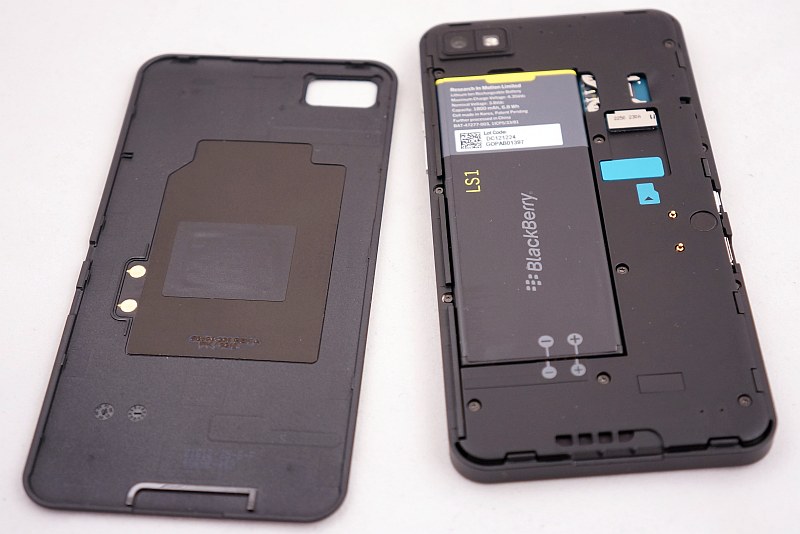
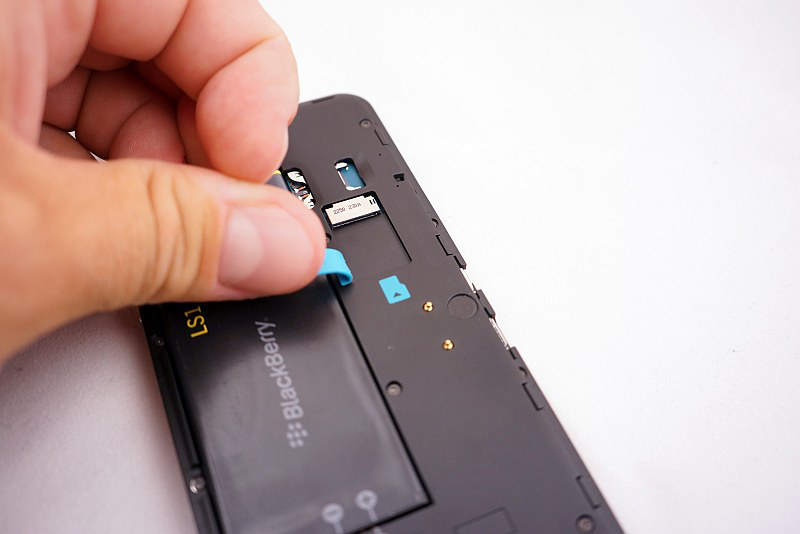
After removing the cover we see a unique, thin battery, blocking access to the microSIM card slot. Close to it there is the second slot - for the memory card, which can be replaced without turning off your smartphone. The card holds in place an unusual, hinged strap of soft blue plastic. I met this solution here for the first time, but I find it to be quite comfortable. I must stress that even after removing the battery cover the phone's body looks neat and tidy. It was taken care of aesthetics and order. I add that NFC antenna is mounted in the battery cover - so to use this function you need to approach the back of the phone. The quality of materials used and the assembly is excellent - here I'm not trying to criticize anything.
 |
 |
 |
|
| BlackBerry Z10 photo: GSMchoice.com |
|||
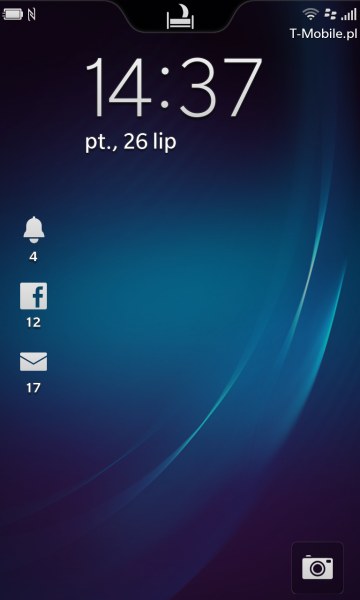
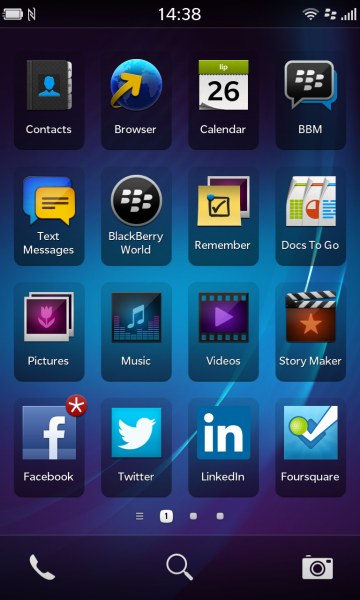
It's time to start the phone and explore the interface. The start-up takes less than a minute, after which the smartphone is actually immediately ready to use. Unlike its predecessors, to use the full capabilities of Z10 we do not have to activate any additional services from a carrier - all you need is an ordinary data packet. It is worthwhile to see the manual to familiarize yourself with the basic principles of the BlackBerry 10 interface. The system does not have anything insightful or surprising. I have found in the interface certain common features with MeeGo, iOS or Android. The BB10 deftly combines the most practical solutions, resulting in a really simple and convenient operation, which, however, takes some time to learn.
 |
 |
 |
|
| Interface of BlackBerry Z10 photo: GSMchoice.com |
|||
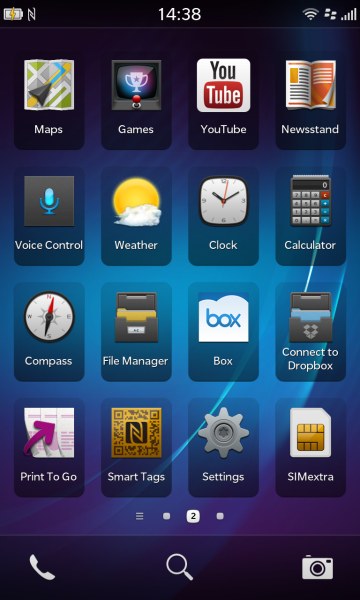
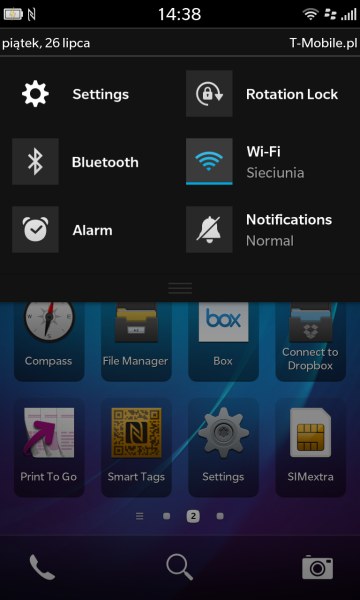
BB10 is based on several gestures involving moving your finger from the screen border into its middle in different directions. This we know from MeeGo. The system does not have widgets and desktop solution reminds me of iOS. Each application is represented by a large icon arranged in a 4x4 grid. We scroll to the next level desktops by swiping left or right. In the bottom of the screen you will see small dots representing each desktop and allow "jump" between them without scrolling. Holding down your finger on any icon activates the edit mode, where you can arrange icons by recognition or completely delete them along with your application. By moving the bar from the top edge down we slide out a switcher panel, well-known to Android users.
 |
 |
 |
|
| Interface of BlackBerry Z10 photo: GSMchoice.com |
|||
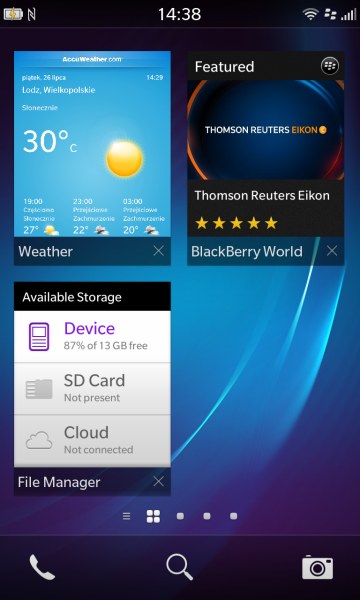
In contrast to Google system, in BB10 unfortunately, we cannot interfere in its configuration. In blackberry OS I even found a certain analogy with Windows Phone. There are "alive" tiles! They appear when minimizing the application. Unlike in other platforms, closing applications in BB10 proceeds in two stages. To exit the running application, you must slide your finger from the bottom edge of the display up. The application, however, does not close but minimizes to form a tile. And in some cases - for example, "weather" - is animated, as in Windows. To close the application completely, we need to click on the cross in the bottom corner of the tile. All this seems a bit intricate, but believe me - it is extremely easy to use, of course, if we train a little and get used to it.
 |
 |
 |
|
| Interface of BlackBerry Z10 photo: GSMchoice.com |
|||
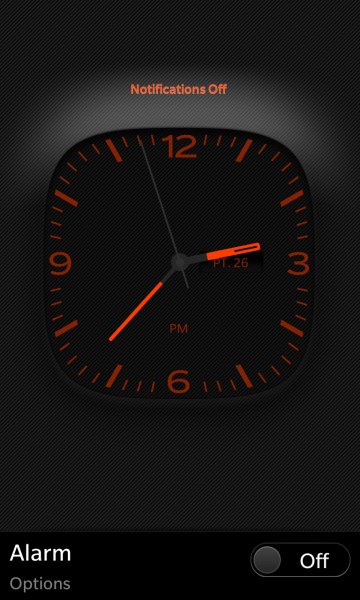
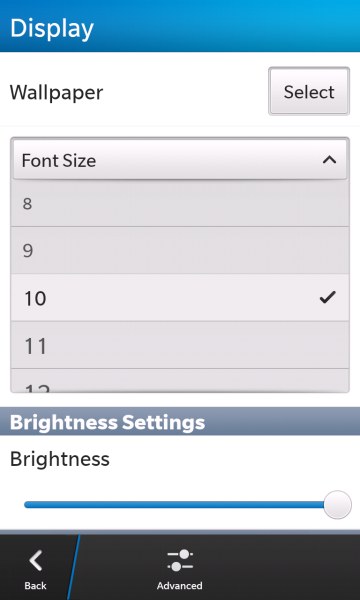
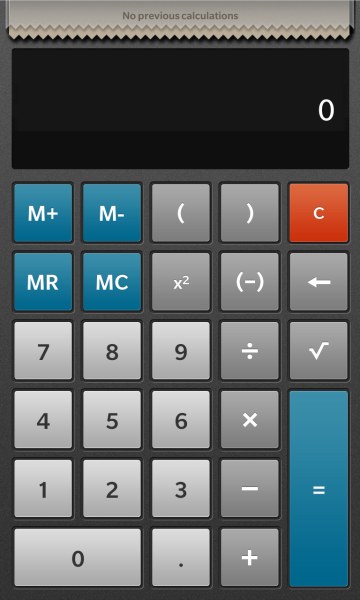
BlackBerry 10 in a standard version has virtually everything you need for efficient use of all the capabilities of your smartphone. There's a calendar, a package of office applications, social networking, file manager, image barcode scanner and also an excellent web browser (with Flash support). There is also a flagship messaging BlackBerry Messenger, an interesting option BB Balance, which allows the smartphone to switch between the private and the official mode. The access to the latter is protected by a password and encryption. It has an interesting "night mode", which can be activated by sliding your finger from top to bottom on the locked screen. The notifications' signals are muted, we have an easy access to the alarm clock and the center of the display shows a discrete clock. Z10-screen keyboard is worth a separate presentation and praiseworthy. It is quite comfortable to use, and it has an interesting hint system. When writing the phone tries to guess the word we want to write and shows us some suggestions in the lines separating the rows of the virtual keys. To approve any of the proposals, we just "push" it with a finger up to the line of text entry. One gesture, and how much it simplifies...
 |
 |
 |
|
| Interface of BlackBerry Z10 photo: GSMchoice.com |
|||
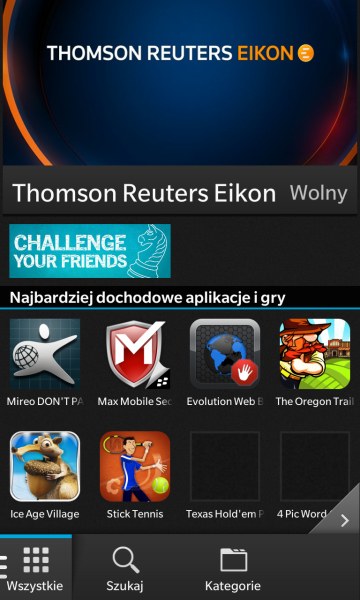
Does the BB10 interface have some cons? In fact, I see only one - the sloppy translation into Polish. In my copy I had an insert in Arabic and several items were translated too literally, giving a comic effect. Interestingly, in the second BlackBerry model with the same system, reviewed by me at the same time as Z10, I have not found similar mishaps in the translation... I did not like the fact that to exchange of any files between the phone and a computer we must install BB link and create an account of BlackBerry user. Interestingly, after the installation of BB Link we no longer have to run it, to access phone files from a PC level by a connected USB... I can't assess positively the offer of BB World store - at least for now. Compared with competing platforms it is still too modest, I was not able to find a few basic applications, such as EQ or Opera...
 |
 |
 |
|
| Interface of BlackBerry Z10 photo: GSMchoice.com |
|||
| Interface of BlackBerry 10 video: GSMchoice.com via YouTube |
|||
I've written a lot about the system, let's go back to the phone. I will leave worse features at the end, first I'll talk about what I liked. A display is a key element of a touchscreen smartphone. The one in Z10 does not surprise us neither with technology nor the size or density of pixels, but subjectively evaluating - it's great! Contrast, crisp, nice colour mapping... And additionally the great responsive touch panel and a cover with a scratch-resistant glass. Looking for (some by force) the lesser sides, I'd list not too good black level fade. I haven't found other disadvantages of the screen. There aren't any also in case of the assessment of the quality of phone calls. I had no problems with maintaining coverage, the sound quality of the earpiece was good.
 |
 |
 |
|
| BlackBerry Z10 photo: GSMchoice.com |
|||
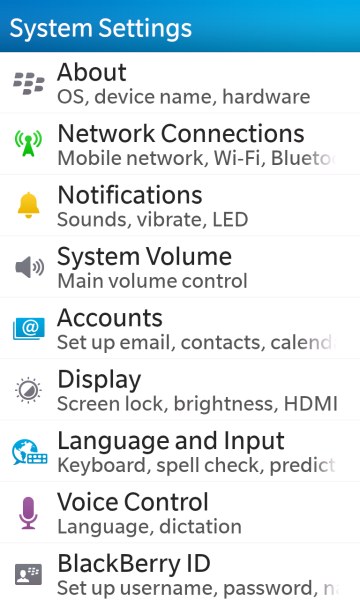
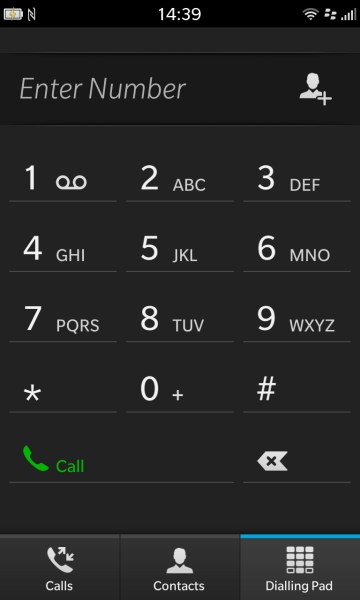
In the settings we can adjust the sound to our preferences, beating the low or high frequencies. I'd complain about just a little too low power output of the speaker. It was disturbing not only in hands-free calls, but also in a noisy environment I did not hear the ring. The speaker plays neat and tidy, but it could be louder. The phone section is divided into three parts. In the first, containing a list of links, we can set shortcuts to frequently dialed numbers. We can do so either from the phone book, as well from the mentioned list of previous calls. The next section – is the phone book, where to each contact we can add a variety of information of the type we can define on our own: it may be for example, address in the social network, the identifier in the communicator, and birthday. The possibilities are many. The third menu item is a simple telephone dialer keypad with large keys. Simple, economical, comfortable. Way to go!
 |
 |
||
| Photos from BlackBerry Z10 photo: GSMchoice.com |
|||
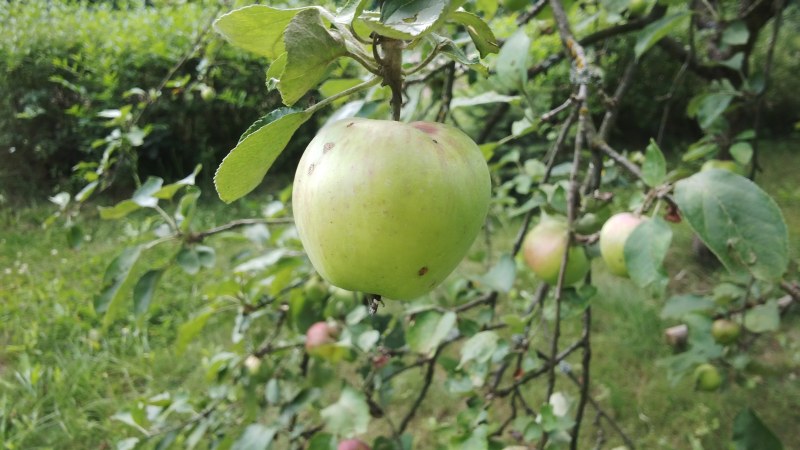
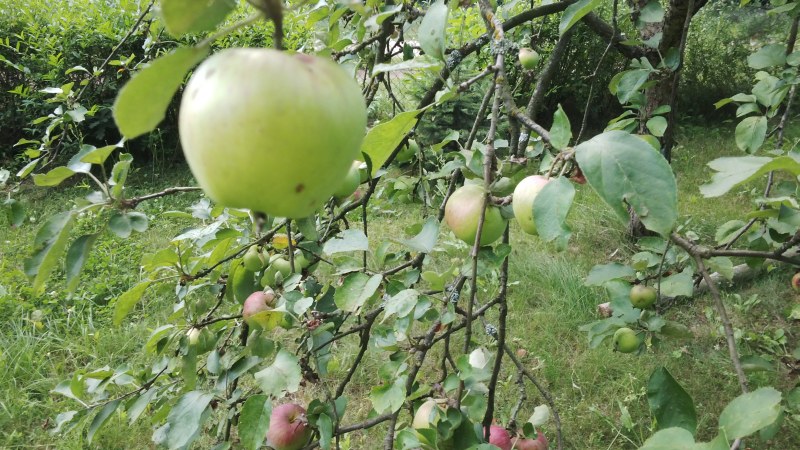
I've never associated BlackBerry smartphones with multimedia... And it has remained consistent, though it must be admitted that the Z10 package lacked only the FM radio. It plays both video and audio. In the case of the latter it suffers from a lack EQ (I have not found it also in BB World!) and the lousy headphones, which I have mentioned. I associated "blackberries" also with quite good photographic opportunities. Here, too, nothing has changed: Z10 takes good pictures. The camera menu is not very extensive, closer to Windows or iOS than Android. We have a choice of two formats of images (panorama and letterbox), stability and four scene modes: sports, text, night and beach/snow.
 |
 |
 |
 |
 |
 |
|
| Photos from BlackBerry Z10 photo: GSMchoice.com |
|||
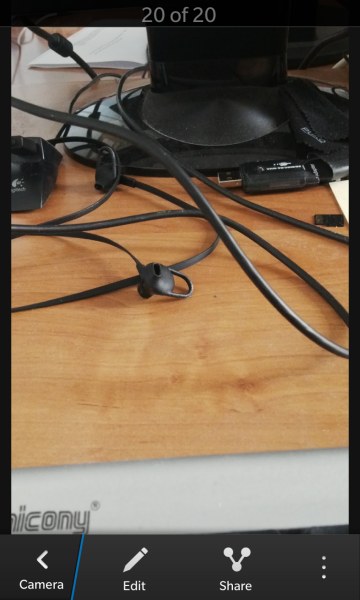
The camera also has a LED flash with a very neutral light colour and average power. Fans of dynamic shots will appreciate the serial photography mode that allows you to capture up to several successive frames. I do not like only the sluggish auto focus operation. What's worse - there are no rules. It happens that in the dim light it focuses in a split second, and sometimes a good light it lasts a few seconds... The shutter can be triggered by touching the screen (on the occasion of a focus on the point), but I preferred to do it by using the volume button. Then AF has had time to "catch" the focus. When setting by touching the screen, there were blurry shots – the shutter was faster than the AF. I might add that the camera can run without unlocking the screen – we just press longer its icon on the desktop. Below you can see examples of photos and videos taken with the phone and judge their quality on your own.
 |
 |
 |
 |
 |
 |
|
| Photos from BlackBerry Z10 photo: GSMchoice.com |
|||
As you can see, Z10 provides reasonable clarity of detail and colours. In the photos taken in low light there may appear some noise but its intensity can be considered not very annoying. The digital zoom is quite ok: the images are almost clear, although the loss of sharpness is felt. Z10 video recordings look the same: no revelations, but no major flaws, and the obvious disadvantages are: bit too poor sound quality (and its mono recording...).
 |
 |
 |
 |
| Photos from BlackBerry Z10 photo: GSMchoice.com |
|||
| Sample videos from BlackBerry Z10 video: GSMchoice.com via YouTube |
|||
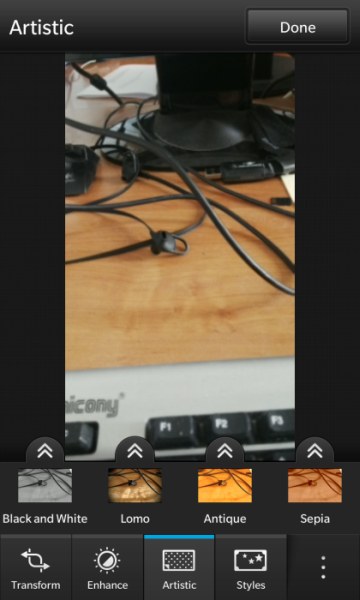
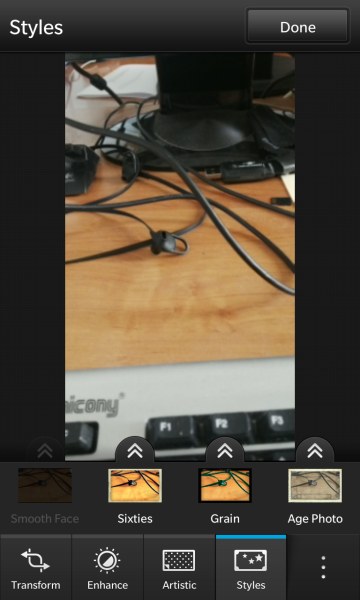
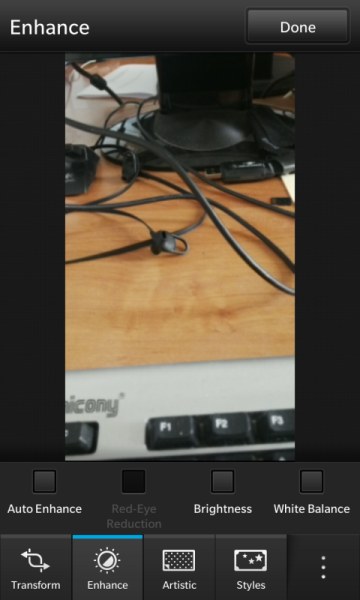
The saved shots can be viewed in a slideshow with audio. BlackBerry gives us a set of photographic special effects available from the photo gallery after taking shots. These include, among others, Lomography, sketch or watercolour. The editing mode also allows us to crop and rotate images, improve colour saturation, white balance, brightness and correct "red-eye". We can also stylize photos - the old plate, a cartoon or film tape. Below you can see the effects of all filters and effects. The name of each of them will appear when you hover over thumbnails. The latter two effects (smoothing skin and big eyes) operate exclusively with portraits - hence another image sample – excuse me.
 |
 |
 |
 |
 |
 |
 |
 |
 |
 |
 |
 |
 |
 |
 |
 |
 |
 |
|
| Photos from BlackBerry Z10 photo: GSMchoice.com |
|||
I announced that I will write at the end what I like the least. Well, the weakest point of this smartphone is (guess...) a battery! Z10 will withstand without a charger not more than two days - and this is on condition that it will not be used too intensively. In fact, it's the norm, but I expected something more from BlackBerry and here such a disappointment... just a typical smartphone!
 |
 |
 |
|
| BlackBerry Z10 photo: GSMchoice.com |
|||
The words ending this sentence will be the conclusion of this review. Z10 is not a typical BlackBerry. It's just a decent, typical smartphone. If you are used to BlackBerry, I think you'll like this model as well. If it was to be your first smartphone - also I do not foresee problems. Also users of other systems won't have any problems while switching to BB10. Unfortunately, although the discussed phone does not have serious shortcomings and is by all means a proper construction, I see no reason that I should replace with it the currently used smartphones...
| Summary BlackBerry Z10 video: GSMchoice.com via YouTube |
|||
BlackBerry Z10 - despite its robustness and a sensible interface - failed to conquer my heart. Maybe it happened because of the price, which at the time of writing this text was 405 to 545 euro (depending on where you buy). Or maybe in Z10 there is not enough... BlackBerry?
Source: GSMchoice.com